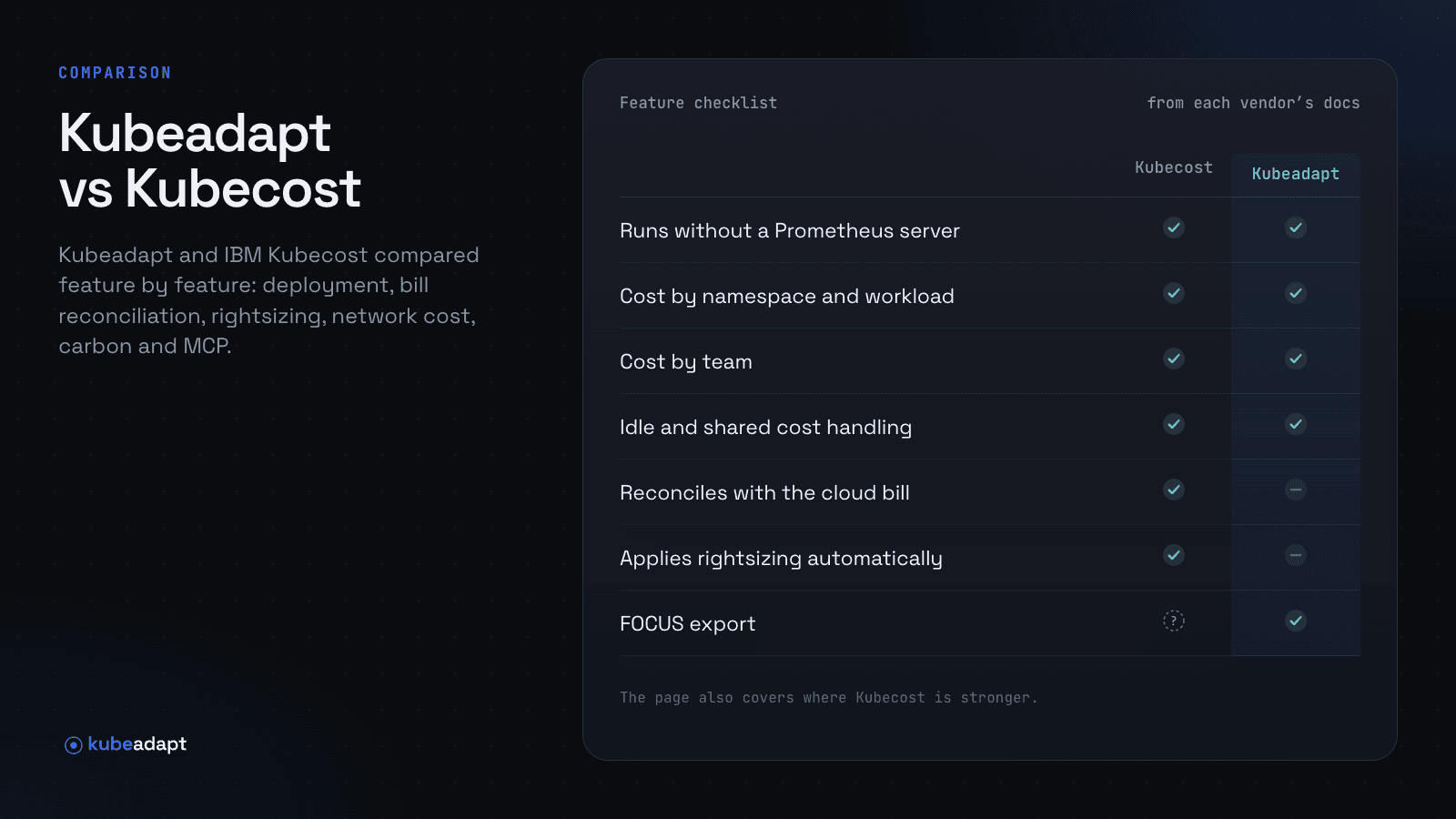
Kubecost has been the default answer to "how do I see Kubernetes costs" for years. Its open-source core became OpenCost, the CNCF project, and IBM acquired the company in September 2024. It now sells it as IBM Kubecost, alongside Apptio Cloudability and Turbonomic. Version 3.0 (September 2025) removed the Prometheus dependency in favour of its own agent and a ClickHouse store. This page compares it with Kubeadapt as fairly as we can.
The short version
- Choose IBM Kubecost if you want to run the cost tool inside your own infrastructure, need costs reconciled against your actual cloud bill, run mainly on EKS (where AWS offers a free Kubecost bundle), or already buy from IBM or Apptio.
- Choose Kubeadapt if you want a hosted product with nothing to operate, an allocation model you can audit step by step, and recommendations that are never applied automatically.
Feature checklist
Each row was checked against IBM Kubecost's own documentation and Kubeadapt's docs on the review date. "Not documented" means we couldn't find it in IBM Kubecost's documentation; it doesn't mean the feature is missing.
| IBM Kubecost | Kubeadapt | |
|---|---|---|
| Runs as | Self-hosted in your cluster (agent, aggregator with ClickHouse, cloud-costs service, frontend), or IBM-hosted Enterprise Cloud | Hosted SaaS in the EU; one agent per cluster, installed with Helm |
| Runs without a Prometheus server | YesPrometheus removed in Kubecost 3.0 | Yesone agent; metrics-server is needed for rightsizing |
| Cost by namespace and workload | Yesnamespace, controller, label and annotation | Yescluster, namespace, workload, node, pod and container |
| Cost by team (labels or manual assignment) | Yeslabel aliases for team, department and owner | Yeslabels or manual assignment; split across up to 10 teams |
| Idle and shared cost handling | Yesidle shown separately or shared by node or cluster; shared-cost settings | YesFully Loaded (spread) or Workload Only views |
| Reconciles with the cloud bill | Yesimports AWS CUR (including CUR 2.0), Azure and GCP billing and reconciles list prices to actual | Nopublic prices, plus AWS Savings Plans and reservations from a connected account |
| Rightsizing recommendations | Yescontainer request rightsizing | Yesrequests and limits per container, with a YAML patch |
| Applies rightsizing automatically | Yesscheduled actions roll out new requests (free tier: one cluster); no in-place resize | Noby design; changes go through your own review |
| Node autoscaling or bin-packing | Partlycluster rightsizing recommendations; actions cover requests, quotas and namespace turndown | Norecommends a node layout; doesn't change nodes |
| Spot instance automation | Not documented | Nospot-readiness score per workload; doesn't move workloads |
| Network cost per workload | Yesconntrack DaemonSet (privileged, host network) for internet, cross-region and cross-zone; NAT gateway flow logs on AWS | YeseBPF at each pod's interface: cross-zone, NAT gateway and internet egress per workload |
| Carbon reporting | YesCloud Carbon Footprint coefficients, per allocation | YesCloud Carbon Footprint method; excludes embodied carbon |
| MCP server for AI tools | Yesin-cluster, read-only, beta (v3.3), OIDC sign-in | Yeshosted, 23 read-only tools, OAuth sign-in with SSO |
| FOCUS export | Not documented | YesFOCUS 1.4 as CSV or Parquet, or through the API |
Where IBM Kubecost is stronger
Bill reconciliation. Kubecost imports your cloud bills and reconciles its estimates to what you actually paid, so discounts, spot prices and enterprise agreements show up in the numbers. Kubeadapt computes costs from usage and prices and doesn't read your invoice. If finance needs figures that tie to the bill, that's a real difference.
Self-hosting. Kubecost can run entirely inside your environment. Kubeadapt is SaaS only, hosted in the EU. If cost data can't leave your infrastructure, Kubecost or OpenCost is the option.
Automation. Kubecost can apply request changes on a schedule and run namespace turndown. Kubeadapt deliberately never changes your cluster.
Ecosystem. Years of community content, the free EKS bundle from AWS, and people who already know it.
Where Kubeadapt is stronger
Nothing to operate. One Helm chart and a hosted backend. No ClickHouse, object storage or aggregator to size and upgrade, and no major-version migration to plan (AWS notes that Kubecost v1 can't be upgraded directly to v3).
A model you can check. Every container is charged the greater of its request and usage, every minute, and each correction (capping, idle, overhead) is documented with a worked example.
Network cost without conntrack. Kubeadapt's optional agent measures at each pod's own interface with eBPF, so it keeps the real pod address and doesn't depend on conntrack accounting. Network Intelligence prices cross-zone, NAT gateway and internet egress per workload.
Hosted AI access and FOCUS export. Kubeadapt MCP is one hosted URL with 23 read-only tools and per-user permissions, and cost exports as a FOCUS 1.4 file.
Running both side by side
You can install the Kubeadapt agent next to Kubecost with one Helm command (quick start), give it a week, and compare the same namespaces. Expect the numbers to differ most where you have discounts, because Kubecost reconciles with your bill and Kubeadapt prices from usage. Get started, or book a demo.
Sources
- IBM: IBM acquires Kubecost (2024-09-17)
- Apptio: IBM Kubecost product page
- Apptio: IBM Kubecost 3.0
- IBM: Kubecost 3.x architecture
- IBM: Kubecost pricing sources
- IBM: Kubecost savings actions
- IBM: Kubecost network costs
- IBM: Kubecost MCP server
- Kubecost v3.3.0 release notes
- AWS: Kubecost bundles for Amazon EKS
- Kubeadapt: How costs are computed