
Kubernetes costs,finally visible.
Monitor every dollar across clusters, namespaces, and teams. Get rightsizing recommendations that cut waste, with zero disruption to your workloads.
Teams that ship smarter
Engineering and FinOps teams rely on Kubeadapt to optimize their Kubernetes infrastructure costs.
Supported Cloud Platforms
Our Partners

Your cluster is running.
Most of it is wasted.
Kubernetes makes it easy to request resources. It makes it hard to know which ones you actually need.
of engineering teams cite overprovisioning as their top cloud waste driver
CNCF Annual Survey, 2024more CPU allocated than actually consumed on average
Kubeadapt platform data, 2025in cloud waste projected for 2025
Gartner, 2024Dashboards show you the bill. They don't show you what to cut.
Kubeadapt does.
Stop Overpaying for Kubernetes
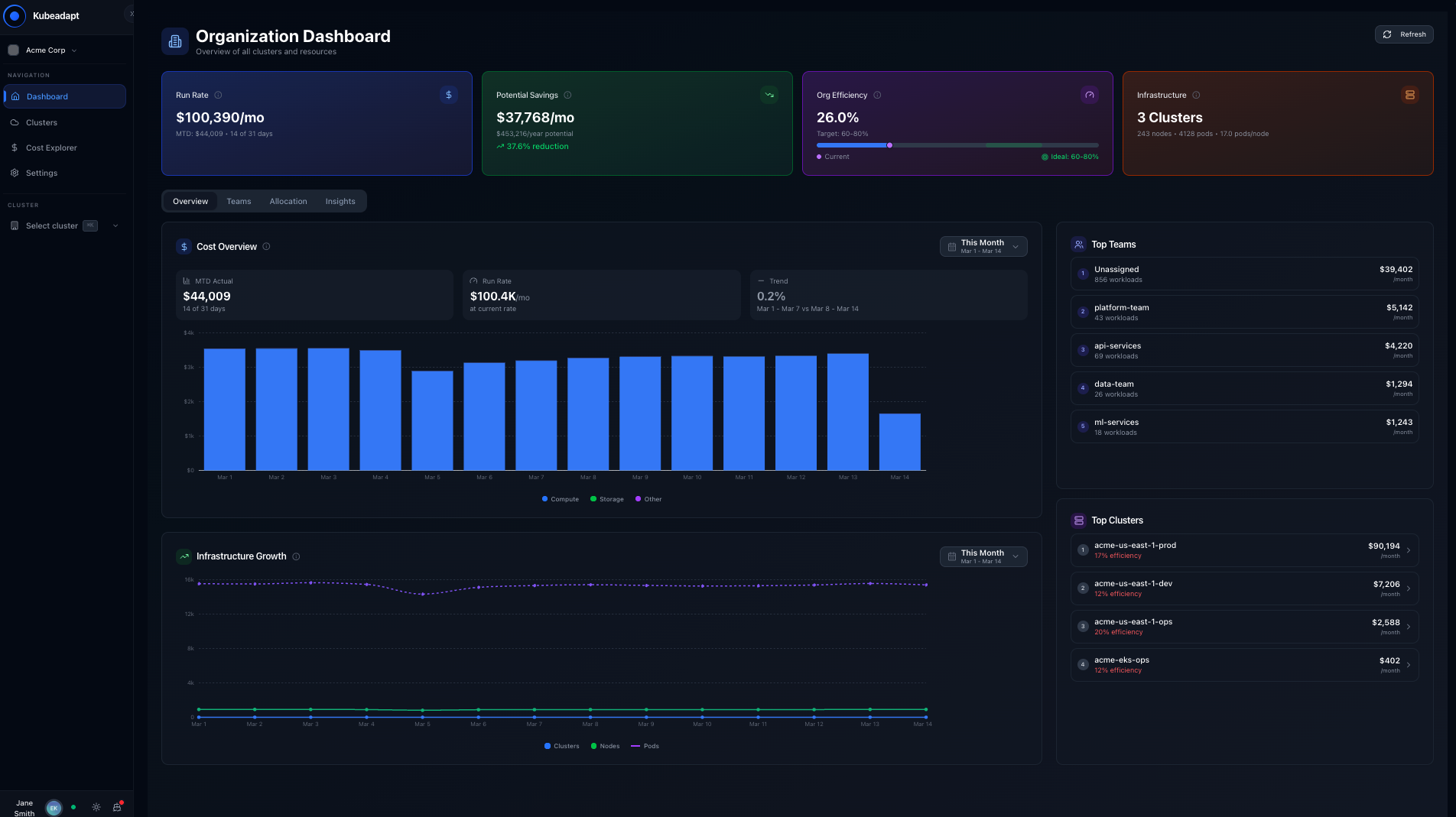
Most teams overprovision because they can't see where costs are going. Kubeadapt maps spending to teams and namespaces, then shows exactly what to cut.
Cost Monitoring
Track your Kubernetes spending with showback across all clusters, namespaces, and teams. Full cost allocation visibility.
Workload Rightsizing
Analyze CPU and memory usage patterns to recommend optimal resource requests and limits for your containers.
Smart Alerting
Set up cost anomaly detection and cost threshold alerts to prevent unexpected cloud bills before they happen.
Multi-Cluster Support
Unified dashboard for all your Kubernetes clusters, whether on AWS, GCP, Azure, or on-premise.
Node Group Rightsizing
Identify oversized node groups and get recommendations for optimal instance types based on actual utilization.
Idle & Abandoned Workloads
Detect workloads with zero or near-zero utilization that can be safely removed to save costs.
Spot Migration Recommendations
Identify workloads that are suitable candidates for Spot instances to reduce compute costs significantly.
PV Rightsizing
Find over-provisioned persistent volumes and get recommendations for optimal storage allocation.
Cross-AZ Network Cost
Track and analyze cross-availability zone network traffic that contributes to your cloud bill.
Cost Query Engine
Drill down into any cost dimension with powerful queries. Find exactly where your money is going.
Orphaned Resources
Detect orphaned resources like unused ConfigMaps, Secrets, and PVCs that accumulate over time.
Carbon Footprint VisibilityQ1-Q2 2026
Translate Kubernetes resource waste into carbon emissions data. Align cost optimization with sustainability goals.
Shift-Left Cost PreventionQ1-Q2 2026
Catch cost overruns in CI/CD before they deploy. Pre-deployment cost gates, resource guardrails, and PR-level avoidance tracking.
Detect. Optimize. Prevent.
Kubeadapt covers the full FinOps lifecycle. From cost visibility to targeted optimization to pre-deployment prevention, every dollar is accounted for.
Detect
See where every dollar goes
Full cost visibility across clusters, namespaces, and teams. Identify spending anomalies, surface idle resources, and eliminate blind spots in your cloud bill.
Optimize
Cut waste with data-driven recommendations
Statistical analysis of CPU, memory, storage, and compute usage generates rightsizing recommendations across workloads, nodes, volumes, and spot candidates.
Capabilities
Prevent
Stop overruns before deployment
Best practices checks catch misconfigurations and overprovisioned resources. Cost gates at the pull request level and governance policies are coming soon.
Capabilities
Get Started in Minutes
Four simple steps to start optimizing your Kubernetes costs.
Deploy the Agent
Install our lightweight agent in your Kubernetes cluster with a single helm command. One-command setup.
Collect Metrics
Our agent collects resource utilization data and maps costs to teams, namespaces, and workloads with full Kubernetes metadata.
Get Recommendations
Data-driven analysis of your usage patterns provides specific recommendations for rightsizing, showback reporting, and cost governance.
Reduce Costs
Apply recommendations manually. Track your savings and cost allocation across all clusters.
helm repo update && \
helm install kubeadapt kubeadapt/kubeadapt \
--set agent.config.token=TOKEN
See What 60% Savings Looks
Like on Your Clusters
Stop overpaying for Kubernetes. See potential savings within 10 minutes.