Kubeadapt
How it Works
Book a demoSign inStart free
Start free
All releases
v26.02.25feat
Feb 25, 2026(7mo ago)

Shipped by

  • Ugurcan CaykaraUgurcan Caykara
  • api
  • developer-experience
  • new-feature

Public API and API Key Management

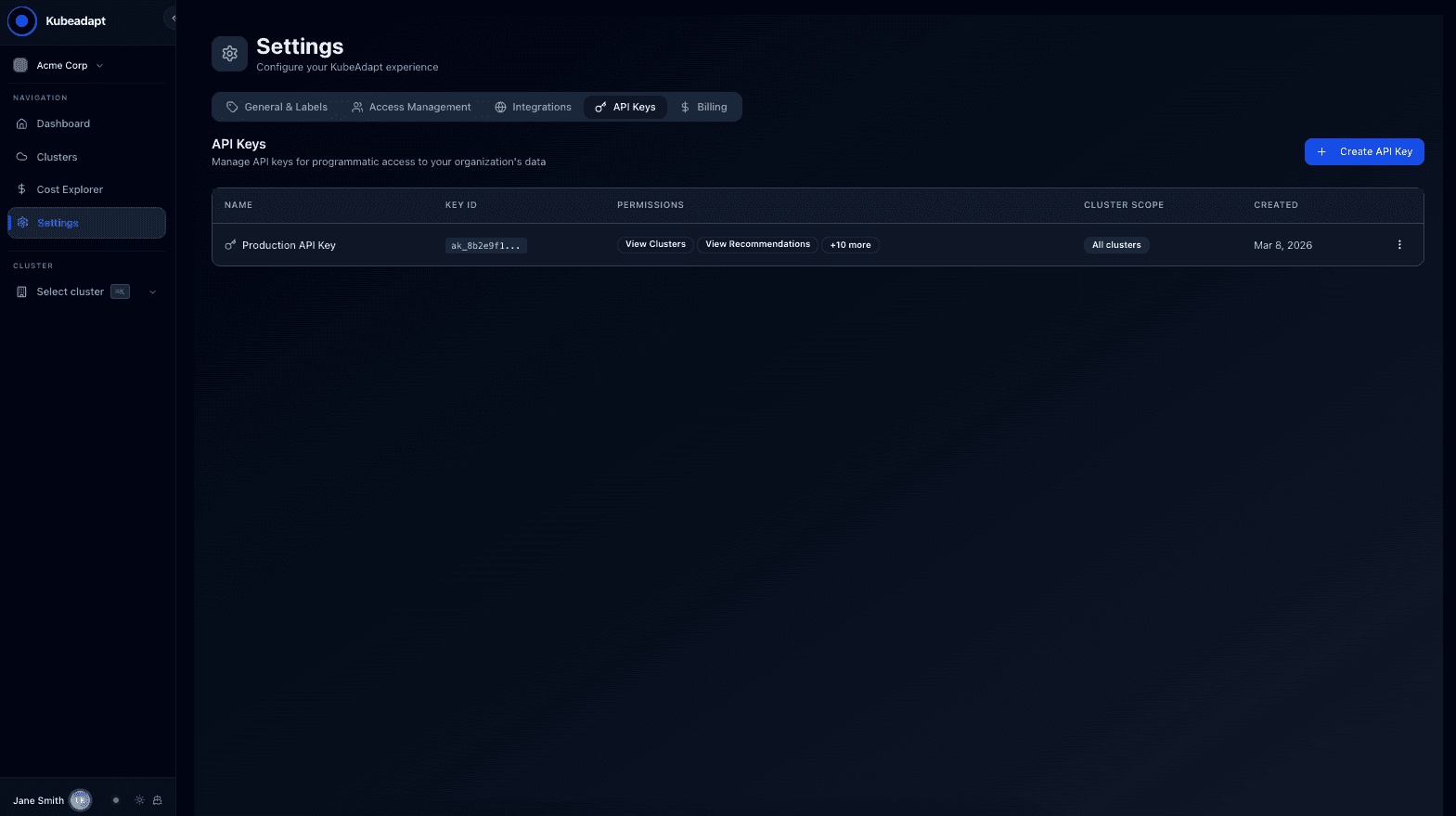
Create API keys from Settings, authenticate with a bearer token, and query clusters, costs, and recommendations via REST.

Programmatic access to your cost data

Until now, Kubeadapt data lived behind the dashboard. If you wanted to pull cost numbers into a Slack bot, a CI pipeline, or an internal tool, there was no clean way to do it.

The Kubeadapt Public API gives you REST access to the same data you see in the dashboard: clusters, workloads, costs, and recommendations.

API key management

Go to Settings > API Keys in the dashboard. From there you can:

  • Create keys with a name, permission scopes, and optional cluster restrictions
  • View active keys with creation date
  • Revoke keys when no longer needed

Each key is scoped to your organization.

Treat API keys like passwords. Anyone with your key has read access to your organization's cost data. Revoke keys you no longer need.

<!-- callout:warning -->

Authentication

Every request includes your API key as a bearer token:

bash
curl -H "Authorization: Bearer ka_your_api_key_here" \
  https://public-api.kubeadapt.io/v1/clusters

What's available

The public API covers core read operations:

  • Clusters: list, detail, health status
  • Nodes: inventory, resource capacity, utilization
  • Workloads: deployments, statefulsets, daemonsets with resource usage
  • Recommendations: right-sizing suggestions with projected savings
  • Costs: team and department breakdowns, namespace-level spend
  • Namespaces: list with resource quotas

All responses are JSON with consistent error handling. See the API reference for endpoint details, authentication, and examples.

Use cases

Slack/Teams bots: Post daily cost summaries or alert when a namespace crosses a spending threshold.

Custom dashboards: Pull data into Grafana, Datadog, or your own internal tools.

Automation: Generate reports, feed data into FinOps workflows, or build custom integrations.

Paired with the CLI

The kubeadapt CLI wraps this same API with formatted terminal output and built-in auth management.

Newer release
v26.03.09featMar 9, 2026
Teams & Departments: Know Who's Spending WhatGroup costs by team and department using Kubernetes labels or dashboard assignment. See per-team spend, department rollups, and cost trends.
Older release
v26.02.10featFeb 10, 2026
Feedback Portal: Public Roadmap and Feature RequestsSee what we're building, vote on what matters to you, and submit feature requests directly. Our roadmap is public now.

More releases

See all
  • v26.03.20feat

    Smart Alerting: Catch Cost Issues Before They Hit the Bill

    Rules, channels, and notification policies that watch your spend and page you when something drifts. Self-learning cost-spike baselines, AI incident explanations, and noise control built in.

    Mar 20, 2026

  • v26.03.19feat

    Kubeadapt AI: Helpful Analysis, Without Sending Your Data to an LLM

    Kubeadapt now adds AI analysis right where it can help — explaining incidents, surfacing context, and pointing to next steps. It's free, on by default, and your utilization metrics never leave your workspace.

    Mar 19, 2026

  • v26.03.17feat

    Cost Attribution Rules: Assign New Workloads Automatically

    Stop hand-assigning every new workload, namespace, and volume. Define rules once and Cost Attribution routes new entities to the right team or department the moment they show up.

    Mar 17, 2026

Kubeadapt

Kubernetes FinOps platform. Cost visibility, rightsizing, and capacity planning that pays for itself in 30 days.

Product

  • Cost Monitoring
  • Cost Attribution
  • Workload Rightsizing
  • Recommendations
  • Smart Alerting
  • Best Practices
  • Network Cross-AZ

Resources

  • Documentation
  • Status Page
  • Feature Requests

Company

  • About Us
  • Security
  • Careers
  • Contact

© 2026 Kubeadapt. All rights reserved.

PrivacyTermsSecurity