
What shipped
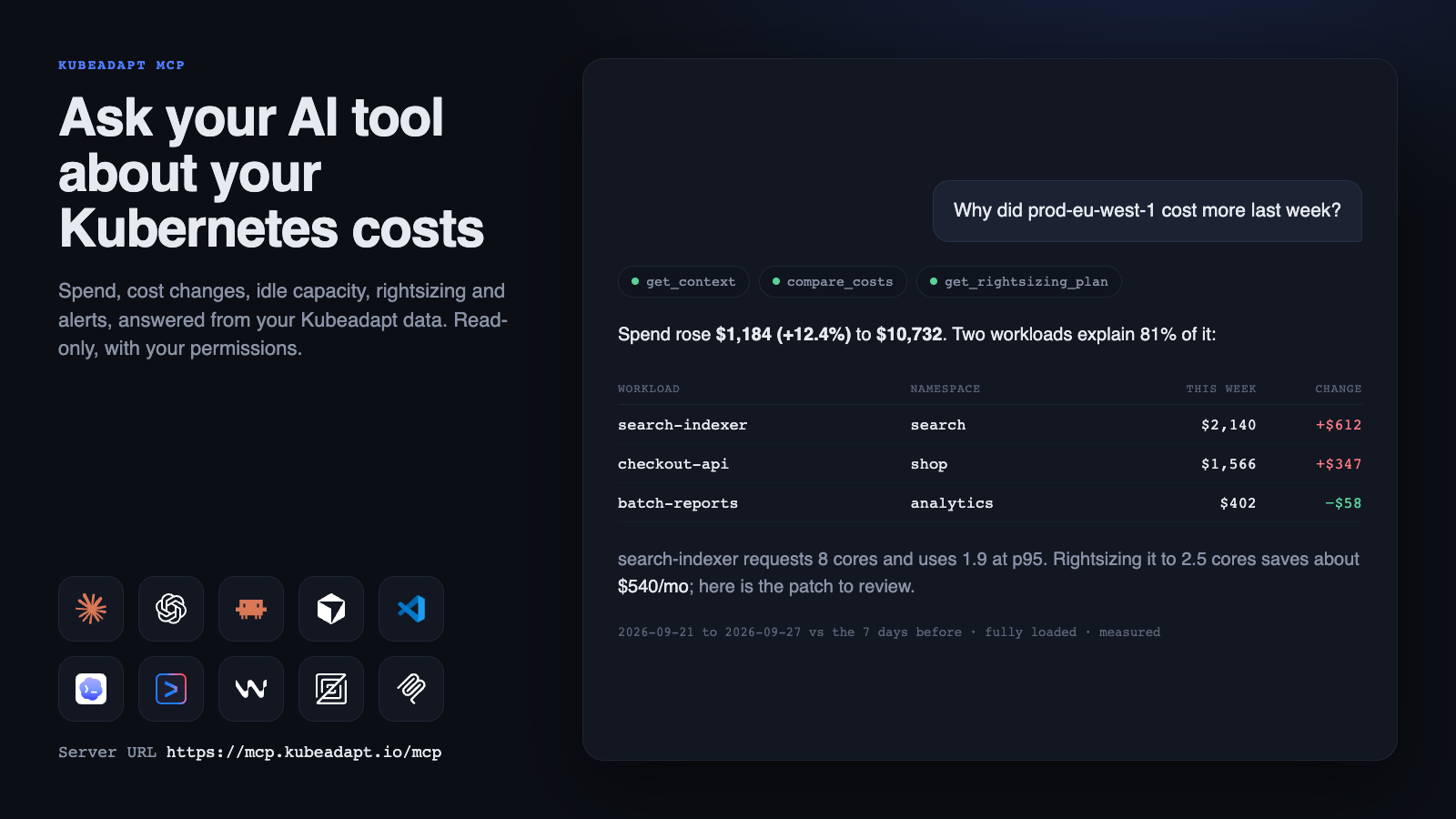
Kubeadapt MCP connects the AI tools your team already uses to your Kubeadapt data. Ask in plain language, and the answer comes from the same cost, usage and recommendation figures you see in the Kubeadapt app, with the time window and how each number was measured.
Why did prod cost more last week than the week before?
Which workloads are the most over-provisioned, and what should their requests be?
How much of this month's bill is idle capacity?
Works with your AI tool
Add the server URL to your tool and sign in with your Kubeadapt account. No API keys.
https://mcp.kubeadapt.io/mcp- Claude: add a custom connector, on any Claude plan
- ChatGPT: create an app in developer mode
- Claude Code:
claude mcp add --transport http kubeadapt https://mcp.kubeadapt.io/mcp - Cursor and VS Code: one-click install
- Codex, Gemini CLI, Windsurf and Zed
- Any MCP client that supports remote servers


23 tools, four kinds of data
- Costs and carbon: spend by cluster, namespace, workload, node, pod, container, team, department or label; trends with a month-end estimate; period comparisons; the split between workload usage, idle capacity and shared cost; the rates each cluster is priced with; persistent volumes; and carbon.
- Savings: rightsizing, spot, abandoned-workload and orphaned-resource recommendations, with a YAML patch to review for each workload; capacity and headroom; node utilization; CPU and memory history; a recommended node layout with what-if estimates; and best-practice findings.
- Alerts: incidents with their findings and cost impact, and the alert rules and budgets behind them.
- Network costs: traffic cost by billing class, top senders and destinations, cross-zone pairs, and who one workload talks to.
Six ready-made prompts cover the common jobs: a weekly cost review, explaining a cost change or a cluster's bill, finding idle spend, rightsizing a namespace, and triaging an incident. See the tools reference.
Built to be trusted
- Read-only. No tool changes anything in Kubeadapt or in your clusters.
- Your access, narrowed further. A connection sees only what you can see in Kubeadapt, and only the kinds of data and clusters you choose when you connect.
- Honest numbers. Every answer states its window, cost mode and whether it was measured or estimated. Missing data is reported as missing, never as zero.
- In your control. Every tool call is recorded under Settings → Kubeadapt MCP, where you can end any connection. Admins choose which data AI tools can reach, which tools may connect, and how long a connection lasts.
Kubeadapt MCP is included in every plan, and every member of your organization can connect.
Get started
Open Connect your AI tool, pick your tool and follow the steps; it takes about a minute. Then try the questions in What you can ask.